The operating system for hospital drug-screening labs.
OncoOS connects protocol design, instrument scheduling, and patient-linked sample tracking into one platform — from biopsy to dose-response curve, fully traceable, with every instrument talking back over an authenticated line.
No install required for scientists — edge agents handle the instrument side.
0
Prefect flows quietly running safety nets behind every claim, poll, and heartbeat
0
Typical time for a claim or state change to reach a blocked edge agent via long-poll sync
0
Sample lineage traced from biopsy tube to individual microtumor well
0
Commands ever pushed to an instrument — the platform is receive-only, by design
Every layer of the lab, in one system of record
From how a protocol is drawn to how a plate physically moves between instruments — OncoOS is built around the real shape of a translational oncology workflow.
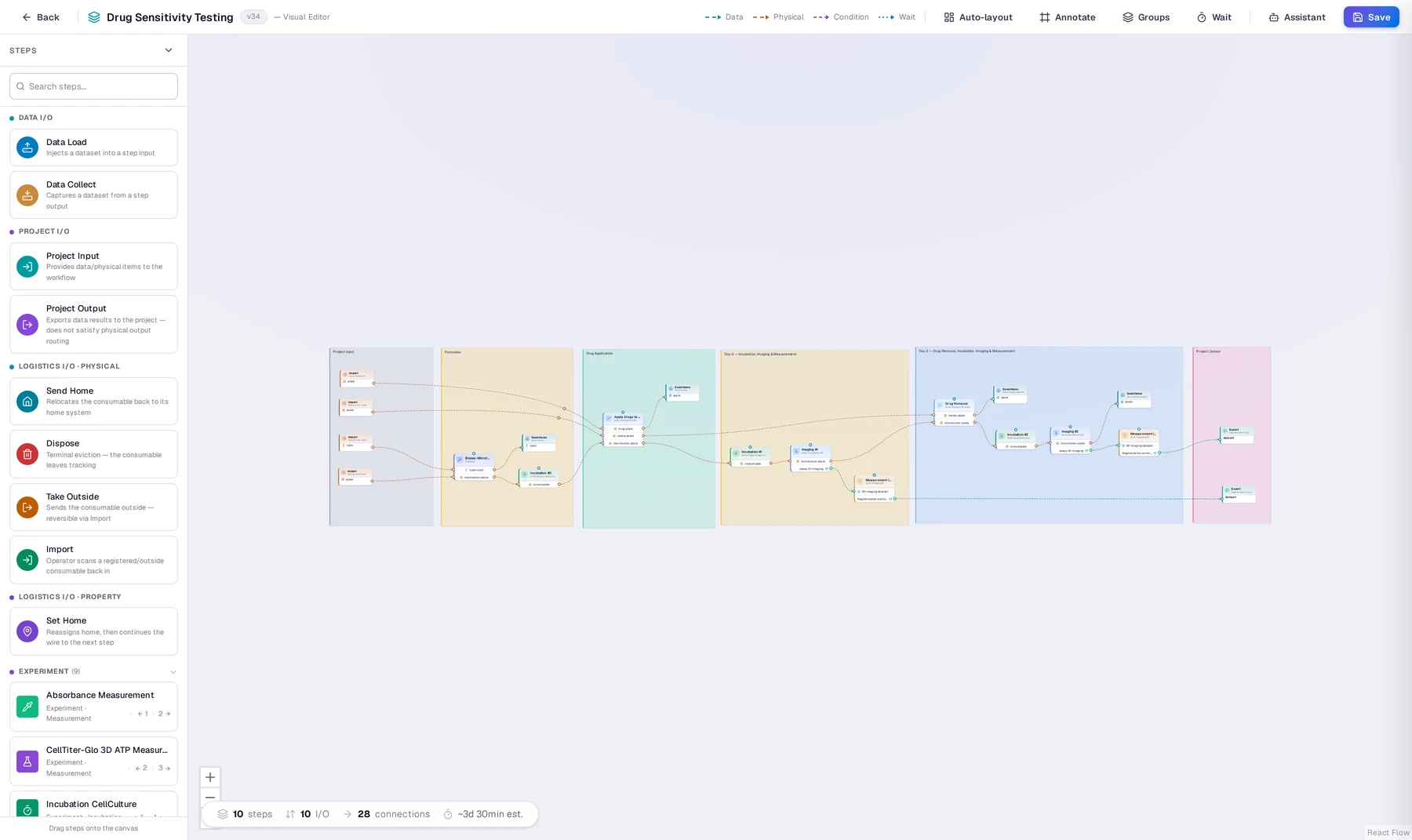
Design protocols like flowcharts, not spreadsheets
Drag step templates onto a canvas and wire them with typed connections — data, physical consumable movement, conditional branches, or timed waits. Groups, auto-layout, and an inline assistant keep a 50-step, multi-day screen legible. DAG validity is checked at design time, not discovered mid-run.
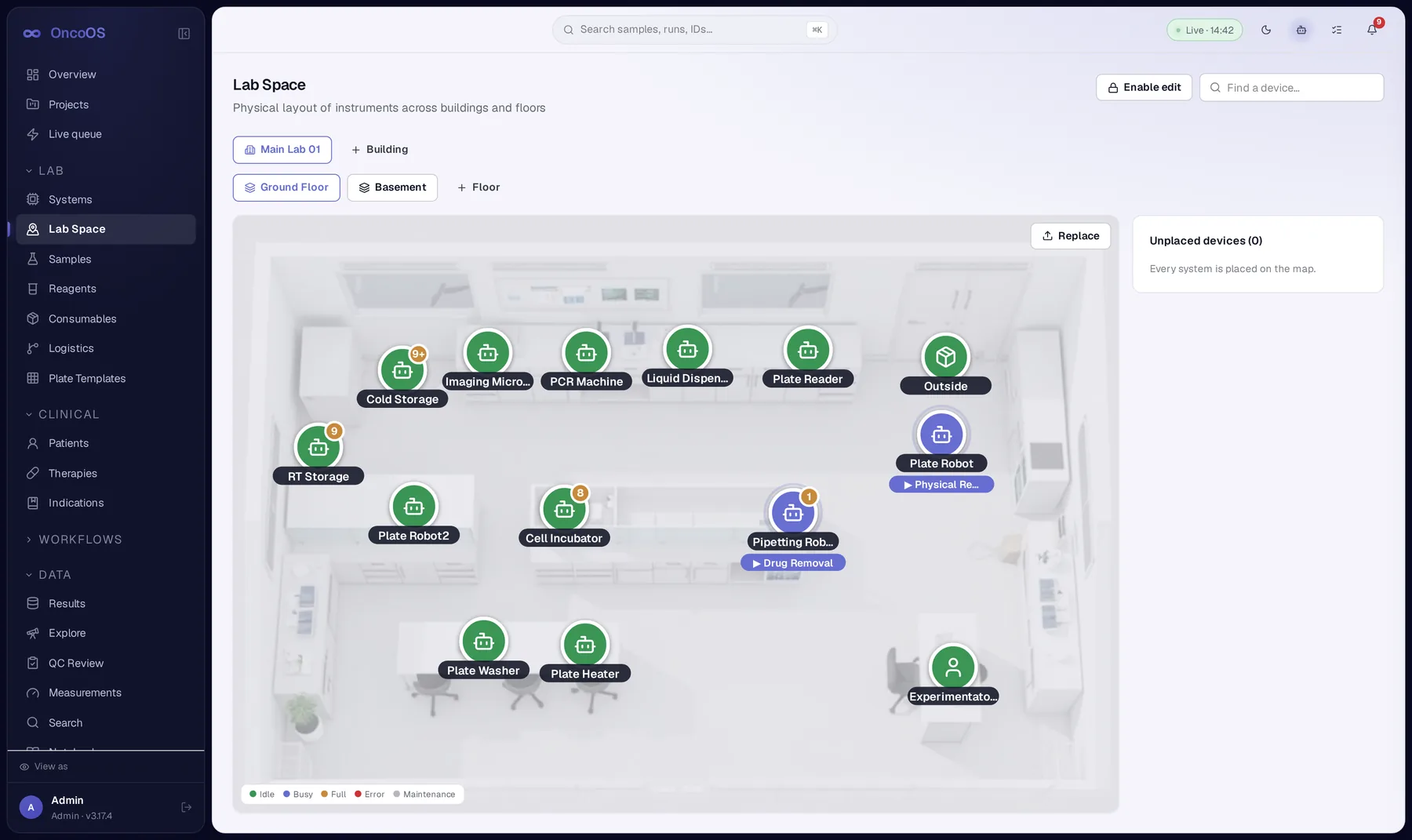
See every instrument, exactly where it lives
Lab Space is a physical map of your instruments across buildings and floors — placed against your actual bench layout, not a generic list. Each device shows live state at a glance: idle, busy, full, in error, or under maintenance, with load meters for multi-slot incubators and storage.
One global plan, recomputed every five seconds
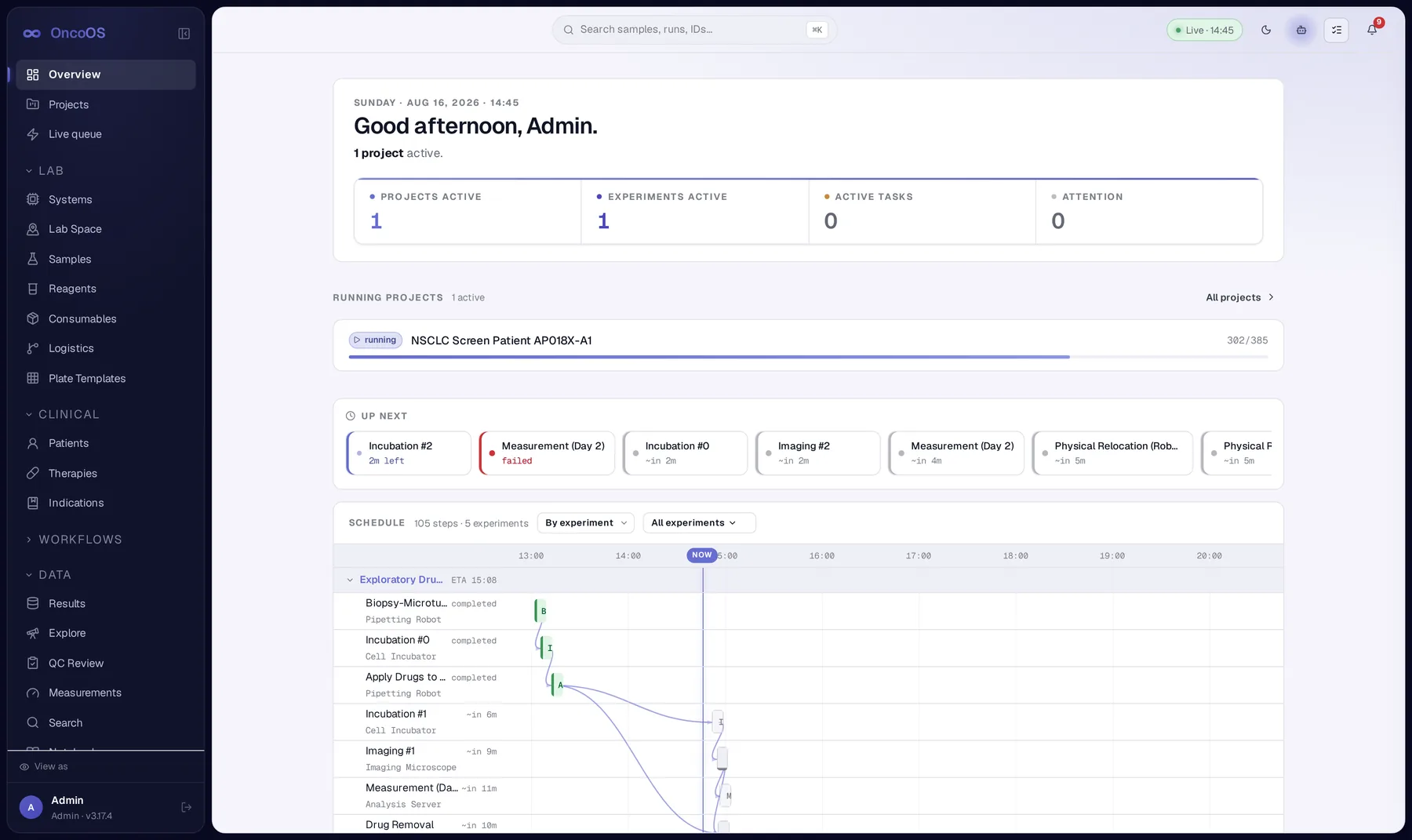
A priority-ordered, resource-aware scheduler walks the whole DAG across every system and consumable — capacity, incubation limits, dependency order, and error lockout are hard constraints; due-dates and ordering are soft, minimized by a priority score that ages starved steps upward. The same plan drives the Gantt, the edge-agent timeline, and claim-order enforcement.
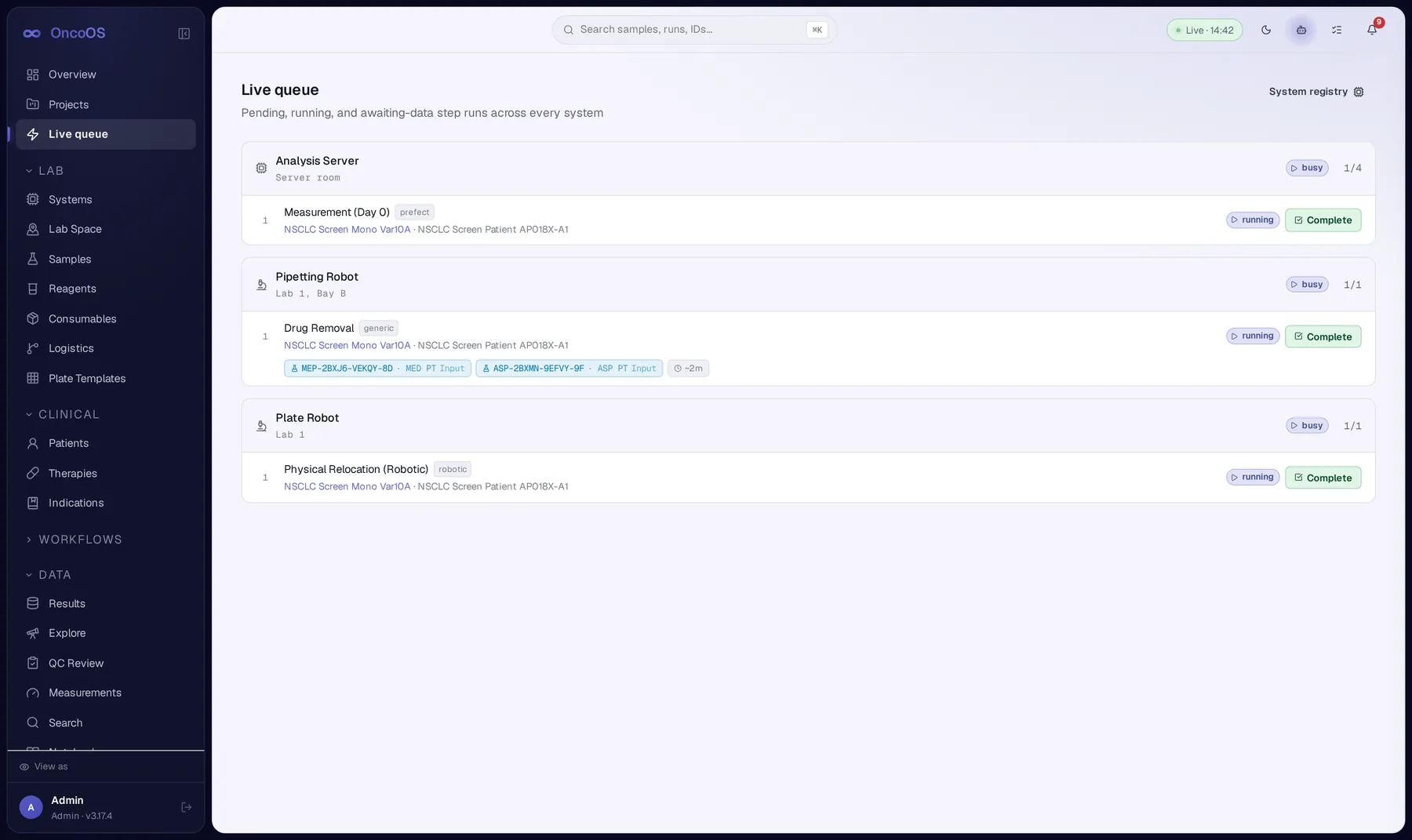
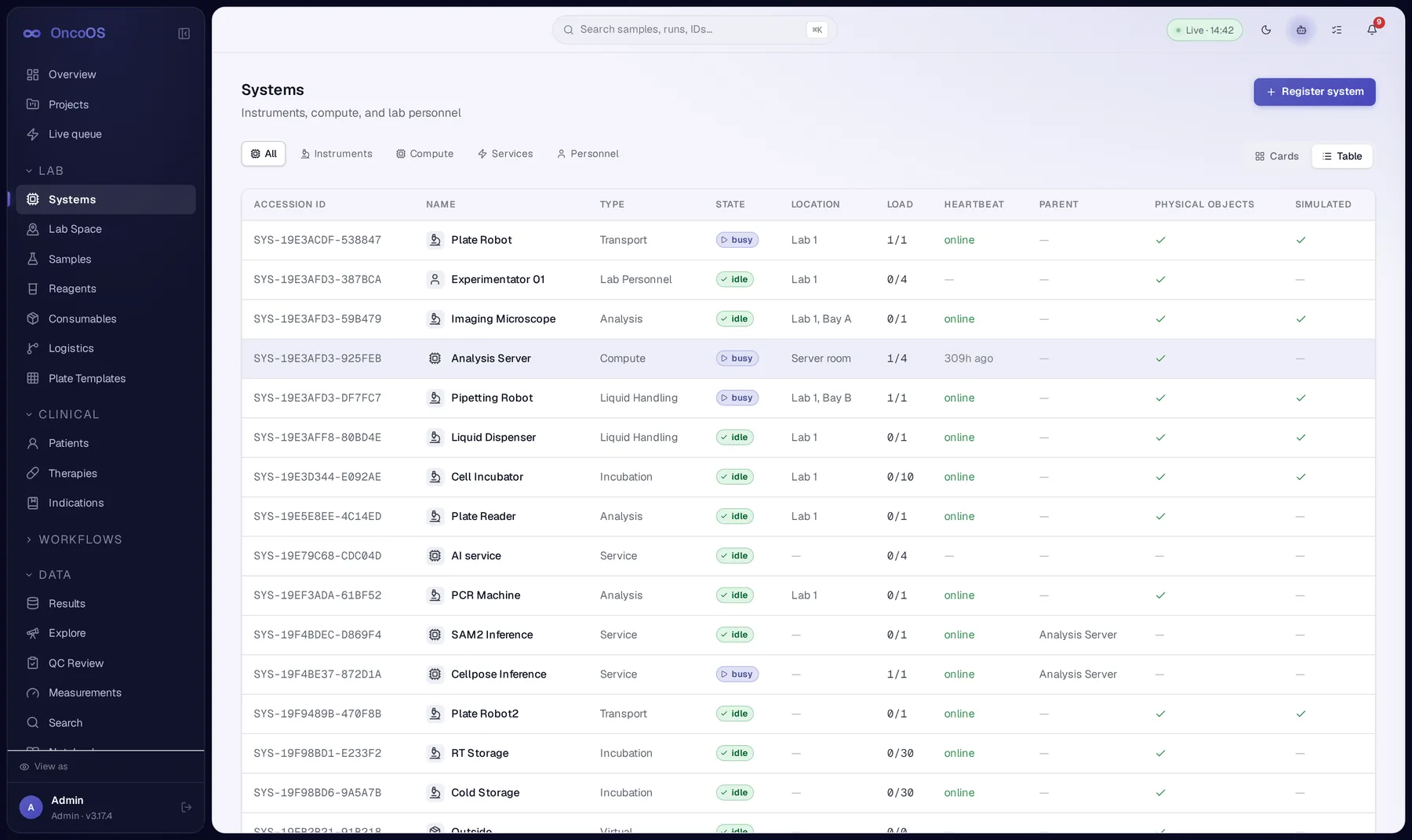
Instruments, compute, services, and people — one registry
Every system in the lab is a first-class record: liquid handlers, imagers, incubators, GPU inference services, even lab personnel. Heartbeats, load, parent/child relationships, and physical-vs-simulated status are all visible in one table — the same registry the scheduler claims against.
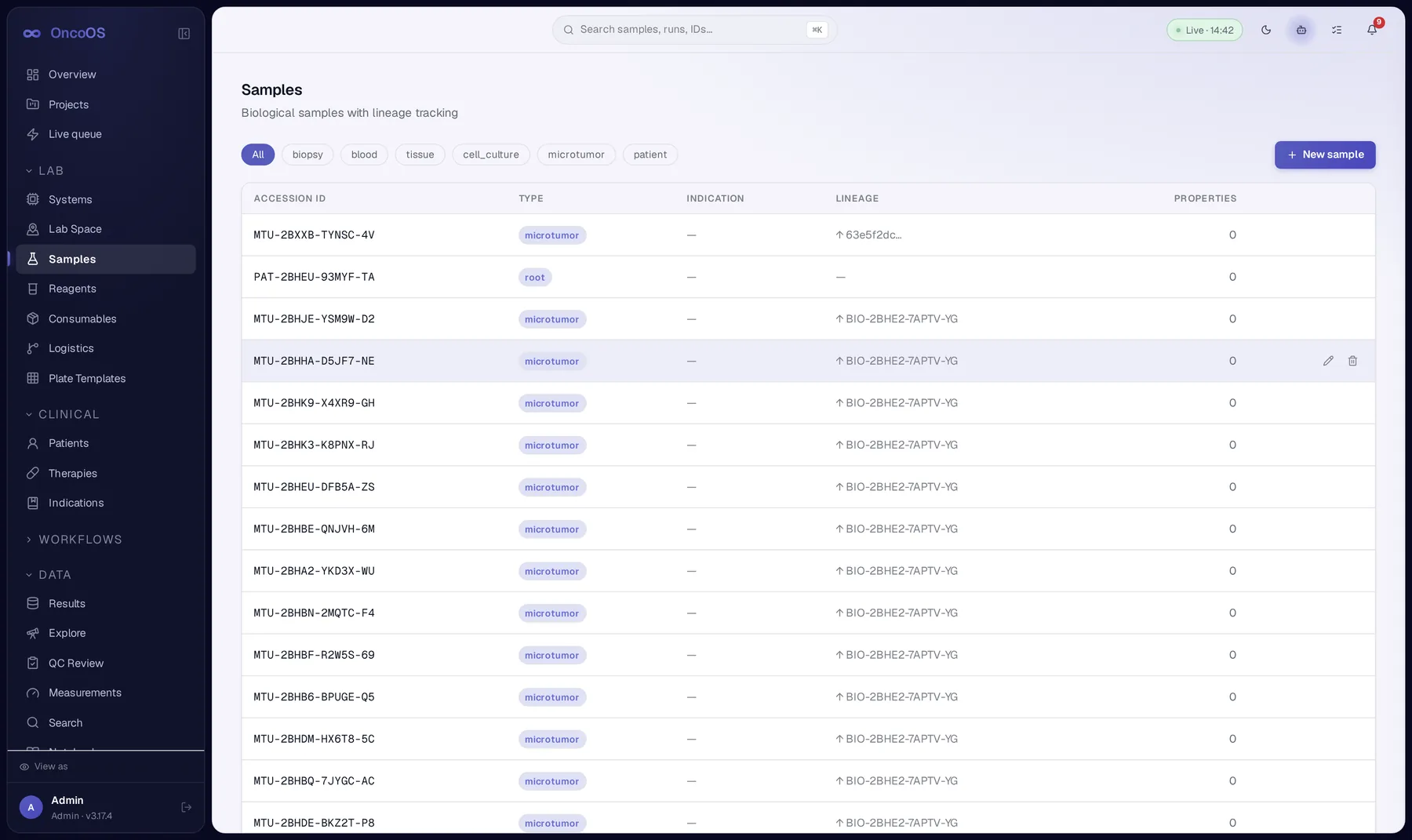
Full chain of custody, from biopsy to well
Samples carry lineage — derived_from and pooled_from — so a microtumor well can be traced back through derivation plates to the originating biopsy tube. Consumables and kits are slot-validated, so a 384-well drug plate always knows exactly what's registered in every position.
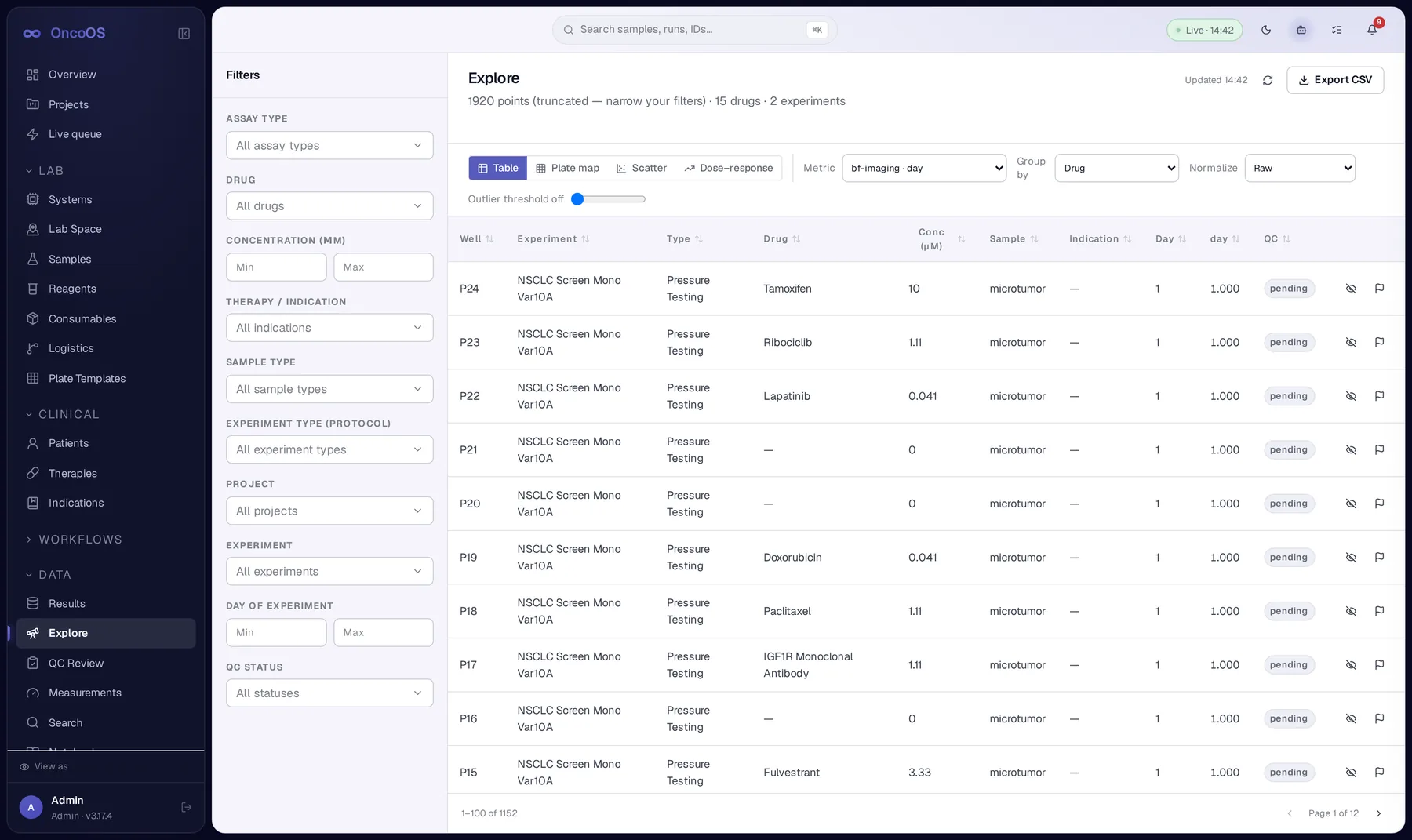
Query every well like a spreadsheet, plot it like a scientist
Explore filters by drug, concentration, indication, sample type, and QC status across every experiment — then switch between table, plate map, scatter, and dose-response views without losing the filter state. Export straight to CSV when it's time to leave the platform.
Built for the parts of the workflow that don't fit in a demo
Protocols & pipelines
Reusable experimental protocol templates and data pipelines, versioned from draft to released, with accession IDs and step counts at a glance.
Logistics & relocation
Physical consumable moves — robotic or manual — are tracked as first-class hops, with concurrent blockers surfaced instead of silently queued.
Role-aware workspace
Scientist, lab technician, project manager, clinician, viewer — navigation and permissions adapt per role, with an admin impersonation view for support.
QC review
Review well-level measurements against a plate map and record QC decisions before data ever reaches an analysis pipeline.
Lab notebook
An electronic lab notebook that lives next to the data it describes — no separate app, no copy-pasted screenshots.
Diagnostics
System health, flow registry, and agent tool status in one place — so "is it the instrument or the platform" stops being a guessing game.
Receive-only by design. Every instrument reports in — none get commanded
Edge agents run next to each instrument and talk to the platform over authenticated REST. The platform never opens a connection back to a device — it can only accept or reject what an agent reports.
The StepRun state machine is the spine of the platform
Every unit of work — a robotic move, an imaging pass, an incubation window — is a StepRun with the same lifecycle. A system error auto-suspends its running work instead of losing it; container state rolls up with a strict priority so a Gantt bar never lies about what's actually happening on the bench.
- Claims are first-come-first-served, capacity- and priority-checked, rejected synchronously on conflict
- A long-poll
sync/waitendpoint wakes blocked agents within moments of a state change - X-Agent-Token auth, minted at enrollment approval — no shared secrets, no standing commands
From a step template to a well of live cells
Step templates
Reusable building blocks — imaging, dispensing, incubation, analysis.
Protocols & pipelines
Templates wired into an ordered, versioned DAG.
Experiments
A protocol instantiated against real samples, consumables, and a project.
Step runs
Scheduled, claimed, and executed by the right instrument, in priority order.
Results
Measurements, images, and outputs flow back in — queryable within seconds.
An assistant you talk to, and agents that work inside the run
OncoOS keeps the conversational assistant and the autonomous execution agent as separate services with separate tool surfaces — so "ask a question" and "act on the bench" are never the same permission.
Ask OncoOS
The AI a scientist talks to directly — surfaced from anywhere in the app to explain a failure, summarize a plate, or answer "why is this step blocked" in plain language, grounded in the same live data the UI shows.
Autonomous step-run agents
A separate agent runtime that operates inside experiments — advising on scheduling trade-offs and executing bounded tool calls against step runs, with its own tool surface, reviewable in Diagnostics.
Bedside context, without exposing bedside data
Pseudonymized patient records link biopsies to the screens run against them — so a drug-sensitivity result can trace back to an indication and a therapy history, without the bench ever holding identifying data.
Patients
Pseudonymised records with linked biopsies — accession IDs stand in for identity everywhere downstream.
Therapies
The drug and regimen catalogue that dose-response screens are ultimately weighed against.
Indications
Cancer indications tie microtumor screens back to the clinical question that justified running them.
See OncoOS on your bench
This is a preview build — request early access and we'll walk you through a live protocol, a real edge-agent claim, and how your instruments would map onto Lab Space.